Block World 3D
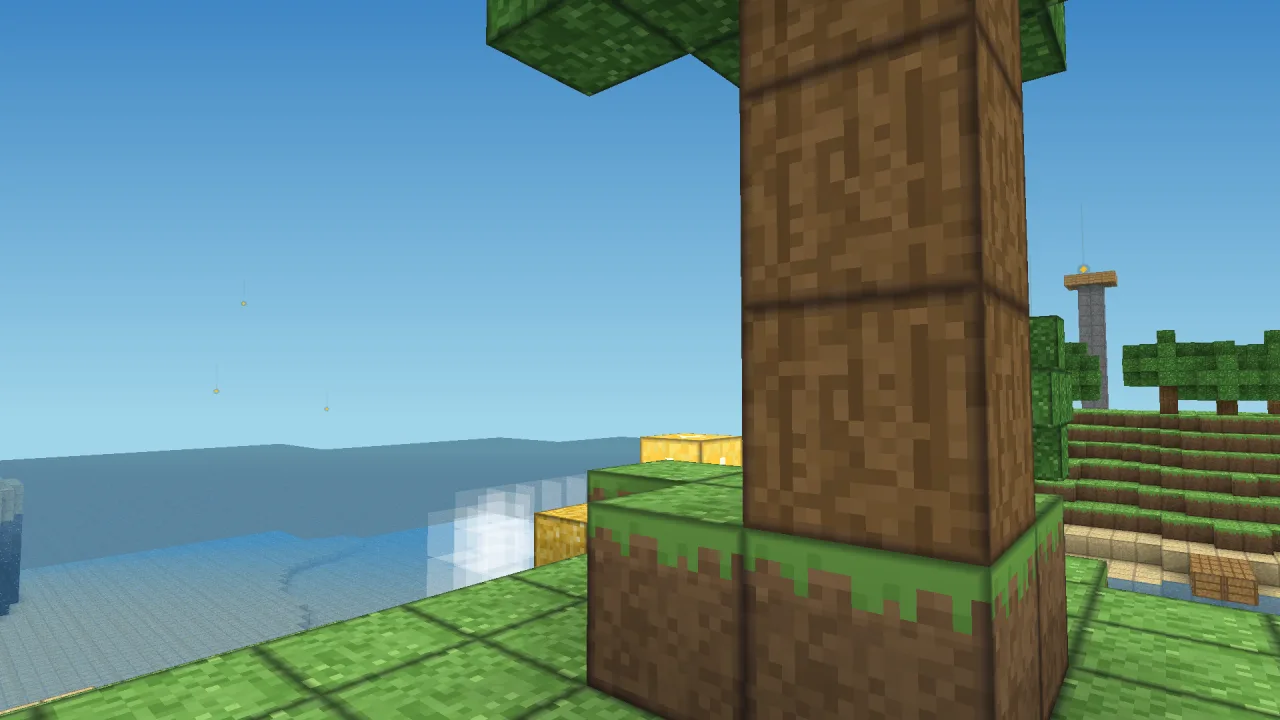
A voxel sandbox with a goal: seven seeded islands, 21 lost keystones and a beacon on every island that only lights when you finish its ghost blueprint. Mine and place blocks, paint up to eight blocks of your own on a 16 by 16 pad, swim, fall, relight the dark and bridge the sea to the next island. Saves in your browser, three world slots.
How to play Block World 3D
- Start a world: tap New world (type a seed first if you want the same islands as a friend). You spawn on Meadow, the first of seven islands, facing the bridge to the next one.
- Walk with the left stick (WASD on a keyboard) and drag anywhere on the view to look (mouse after one click). Jump is the big yellow button (Space); Sneak (Shift) keeps you from slipping off edges.
- Aim the cross at a block and press Mine to break it: it lands in your 9-slot hotbar, stacks of 64. Press Place to put the selected block on the face you are aiming at. The Undo chip next to the hotbar takes back your last edit for a few seconds (Z).
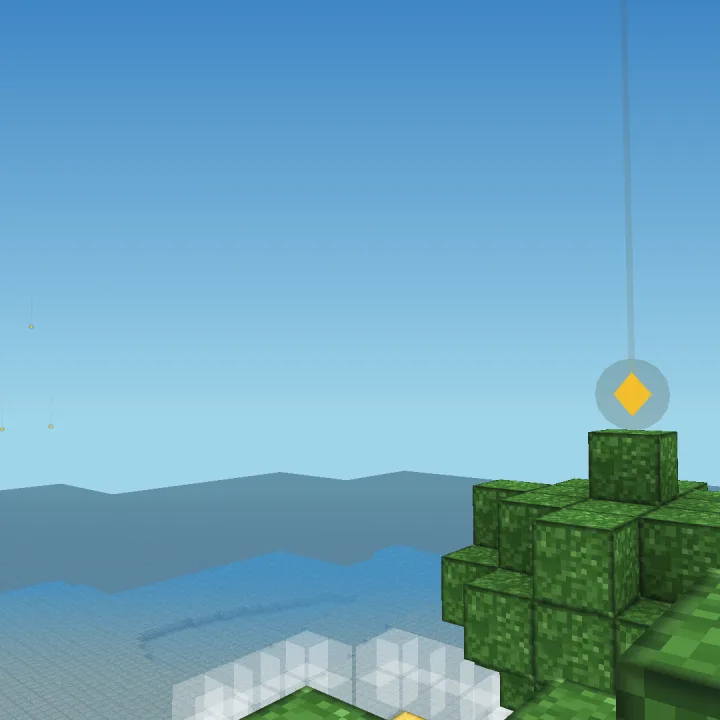
- Every island hides 3 keystones, 21 in all. The compass bar at the top pulses and shows a distance when one is within 40 blocks (80 at night). Touch a keystone to collect it: its block family (stone, glass, copper, neon...) is unlocked and 64 are put in your hotbar.
- Each island has a ghost blueprint by its beacon: a stone circle, a tower, a pyramid, an aqueduct, a dome, twin spires, a star platform. Fill every ghost cell with any solid block and the beacon lights, a light column rises and the bridge to the next island appears.
- Open Pause for Blocks (unlocked families and your own blocks go into the highlighted slot), Map (every island, lit beacons, the keystones you found), Painter and Settings.
- Painter: choose one of 8 custom slots, pick a colour of 16 and draw on the 16 by 16 pad. Your block appears in the world the moment you place it, and it is free and never runs out.
- Falls over six blocks cost a heart (you have 5) and lava burns one every moment; at zero hearts you wake at your last lit beacon with your hotbar intact. A day lasts 12 minutes and the nights are darker, with caves that glow.
- Light all seven beacons to unlock creative mode: every block unlimited. Your world is the seed plus your edits, so it saves small; a reload brings you back paused where you stood.
Controls
| Keyboard and mouse | Touch |
|---|---|
| WASD Walk | Move stick at the lower left |
| Mouse Look around (click the view first) | Drag anywhere on the view |
| Space Jump / swim up | Jump button, lower right |
| Shift Sneak (no falling off edges) | Sneak button, lower right (toggle) |
| Left click Mine the block under the cross | Mine button (hold to repeat) |
| Right clickQ Place the selected block | Place button (hold to repeat) |
| 123456789Wheel Pick a hotbar slot | Tap a slot in the hotbar |
| Z Undo the last edit | Undo chip beside the hotbar |
| EM Blocks / Map | Pause button (top right), then the tabs |
| EscP Pause and resume | Pause button at the top right |
On a phone or tablet: Move stick at the lower left, Jump / Mine / Place / Sneak at the lower right, the hotbar along the bottom, and a drag anywhere on the view to look around. Every button is 56 px or more; only Pause sits in a top corner (top right), and the top-left corner stays free for the site's Back button. Works upright and sideways.
About this game
Block World 3D is a voxel sandbox with something to do: seven seeded islands, each in its own colour story (Meadow, Forest, Dunes, Fjord, Ash, Crystal and Sky), with three lost keystones hidden in the open, in treetops, in caves and on tall pillars. Collecting a keystone unlocks a block family and a compass pulse that finds the next one, and every island's beacon waits for a blueprint: a ghost outline of a stone circle, watchtower, sun pyramid, aqueduct, ember dome, twin spires or star platform that you fill with any block you like. Lighting a beacon opens the bridge across the sea, and lighting all seven opens creative mode. The look is an ink drawing in 3D, every block face outlined by hand-drawn lines with soft baked shading and a warm day that runs into night in twelve minutes. The twist is yours: a 16 by 16 pixel pad lets you paint up to eight blocks that join the palette, free and unlimited, and are drawn into the world as you place them. The world is generated from a seed, so a save is only the seed plus your edits, small enough to keep three worlds in the browser, and a reload brings you back paused where you stood. It is built to play on a phone with a stick, a look-drag and big buttons, and on a keyboard with the mouse.
Questions
Is Block World 3D free?
Yes. It plays free in your browser on a computer, tablet or phone, with nothing to download and no sign-up. Your worlds stay in this browser.
Can I play it on my phone?
Yes, it is built for thumbs: a move stick at the lower left, Jump, Mine, Place and Sneak at the lower right, and a drag anywhere on the view to look around. It works upright and sideways.
What is the goal?
Find the 21 keystones (three per island) and light the seven beacons by filling each island's ghost blueprint. Each beacon opens the bridge to the next island, and all seven unlock creative mode. You can also just build.
How do I find a keystone?
Watch the compass bar at the top: its dot points toward the nearest keystone and pulses with a distance when one is within 40 blocks, 80 at night. Keystones sit in the open, on treetops, at the end of caves and on pillars, and show a thin column of light.
Can I make my own blocks?
Yes. Open Pause, then Painter: pick one of 8 slots and draw on the 16 by 16 pad with 16 colours. Custom blocks go into the hotbar from the Blocks tab, are free, and never run out.
Why can't I place a block?
You need to aim at a block face within reach, have a block selected in the hotbar, and not be standing in the spot. Jump first when you want to place a block under your own feet.
What happens when I fall or touch lava?
Falls over six blocks and lava each cost hearts; you have five. At zero you wake up at your last lit beacon (or the spawn) with your hotbar kept.
Where is my world saved?
In this browser: three world slots, each stored as the seed plus the blocks you changed. Reloading the page brings you back to your world, paused.