 Doodle Cub
Version 5.1 iPhone and iPad
Color Picker
Pick a color from your camera or any photo and get its name and HEX code, plus a recipe to mix it in paint or the colored pencil that matches it.
- iPhone and iPad
- For painters and designers
- Free to download
- In 8 languages
Top 10
Ten tools to try first
Made for painters, illustrators and designers: from one pixel in a photo to a paint recipe, a pencil or a brand palette.
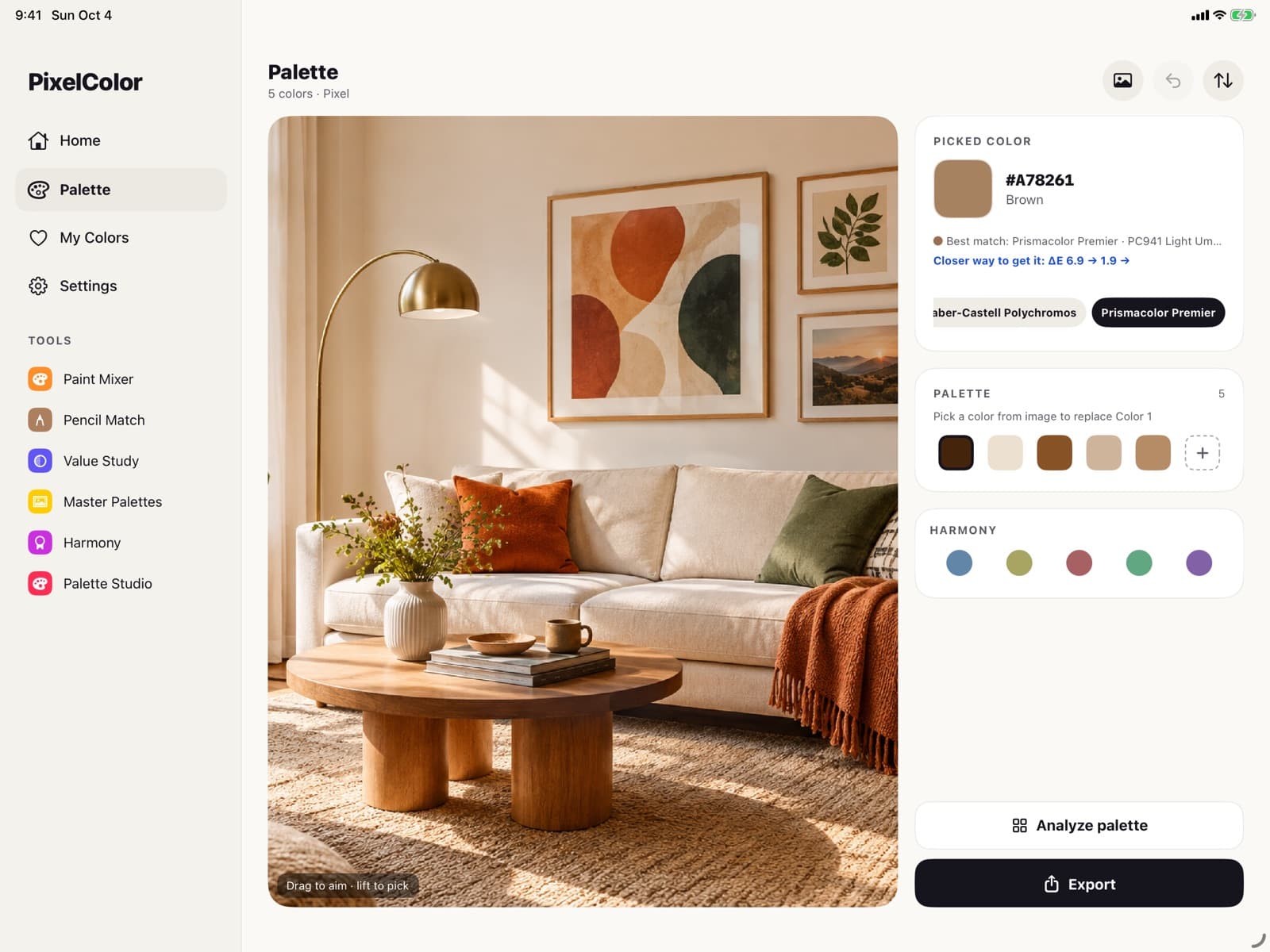
Pick at Position
Tap any pixel, get the hex
Open a photo and tap any point. You get the color's HEX code and closest name, a palette from the same photo and the pencil that matches.
- HEX, RGB and the closest color name
- A palette pulled from the photo
- The closest Polychromos or Prismacolor pencil
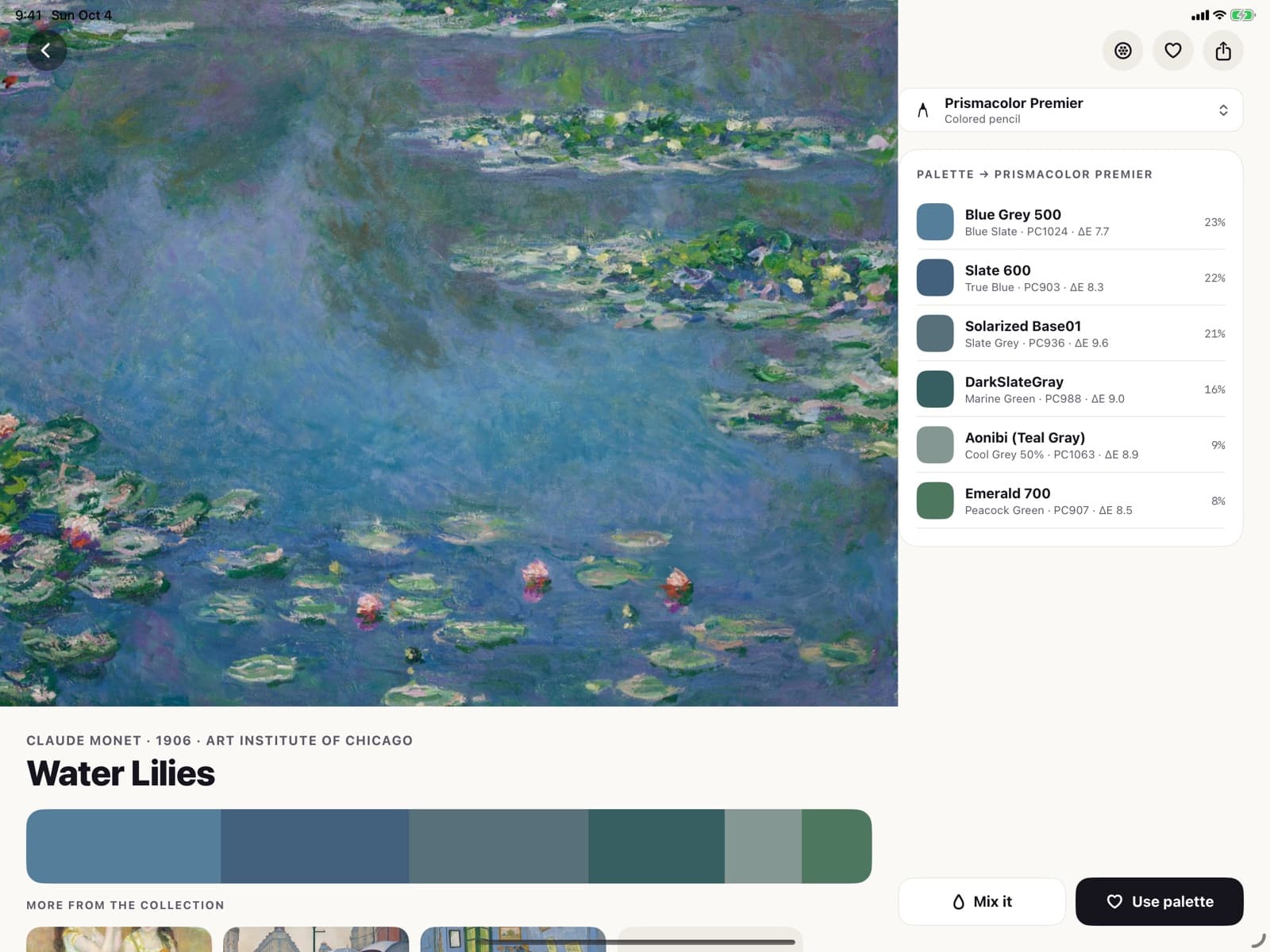
Master Palettes
Paint with the masters' colors
Palettes taken from public-domain paintings at the Art Institute of Chicago, such as Monet's Water Lilies, with the matching pencils.
- One palette per painting
- Matching colored pencils
- Use the palette in any tool
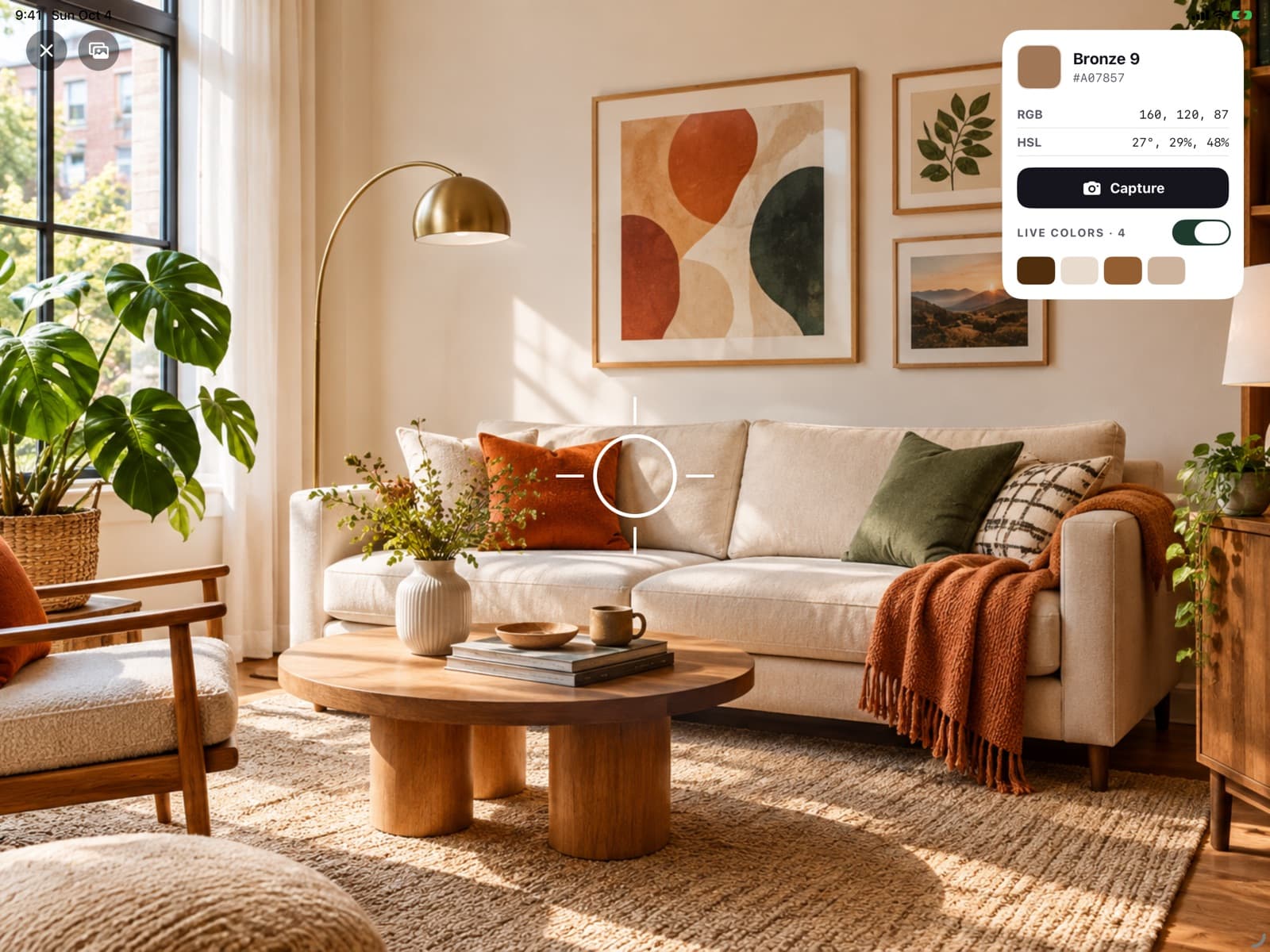
Live Camera
Pick colors live from your camera
Point the camera at anything and read the color under the center reticle in real time, then capture it with one tap.
- Real-time picking
- A strip of live colors under the view
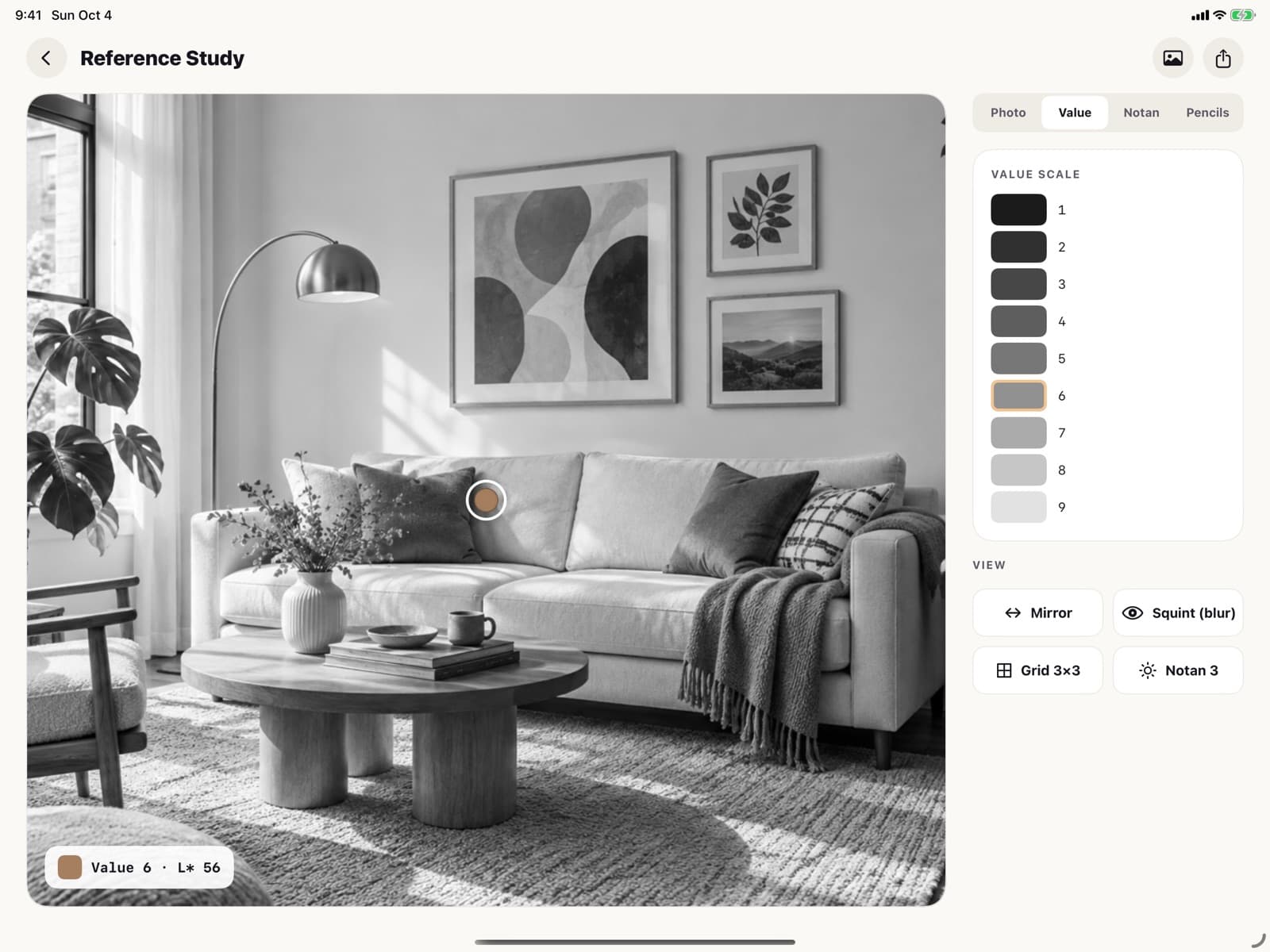
Value Study
Check values like a painter
Turn any reference photo into grayscale values and notan, with a value scale, so you can see the lights and darks before you paint.
- Grayscale and notan
- Grid, mirror and squint views for drawing
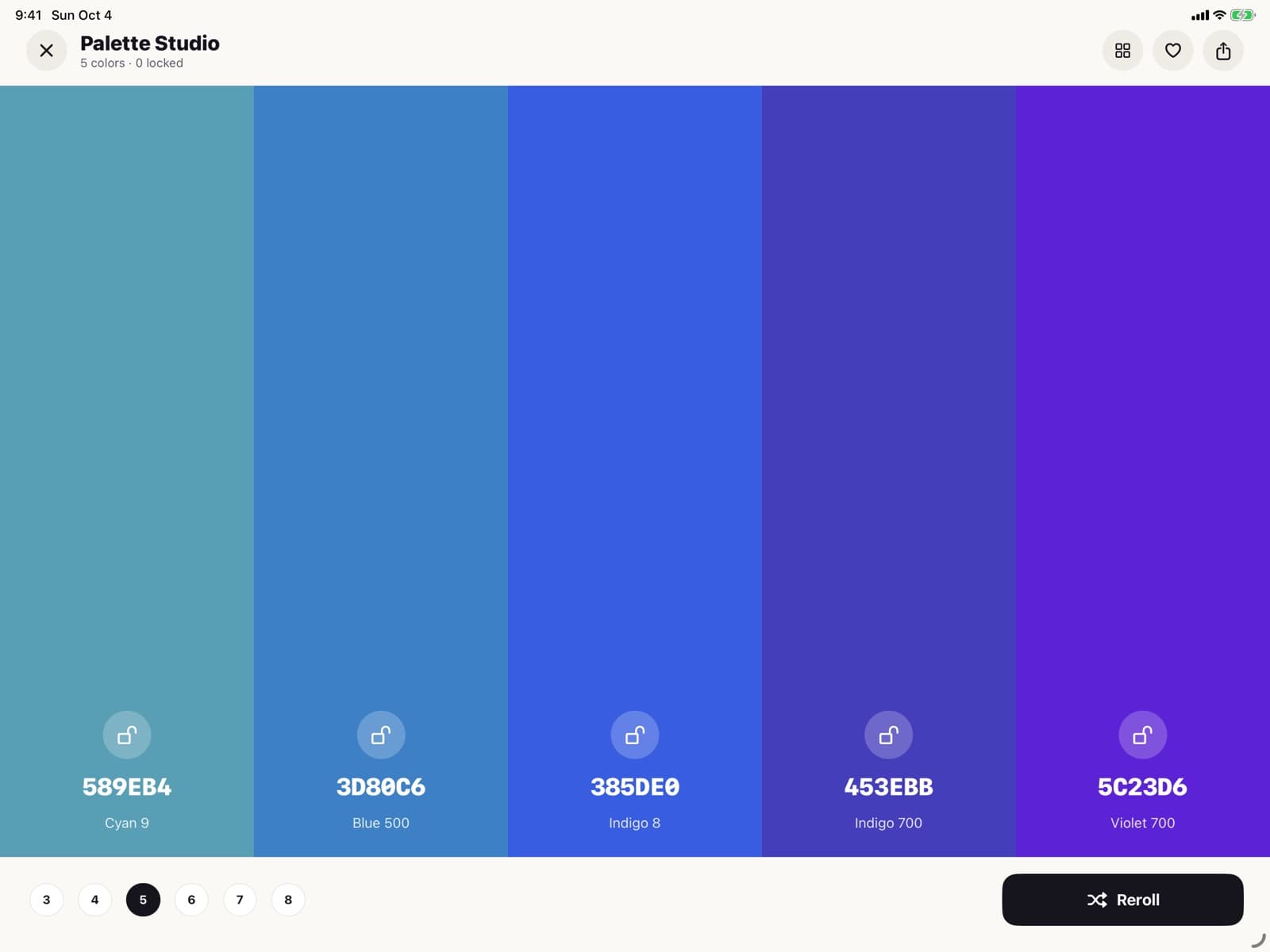
Palette Studio
Build palettes you'll use
Generate a palette, lock the colors you like, reorder them and reroll the rest until it works.
- Lock, reorder and reroll
- Save to My Colors
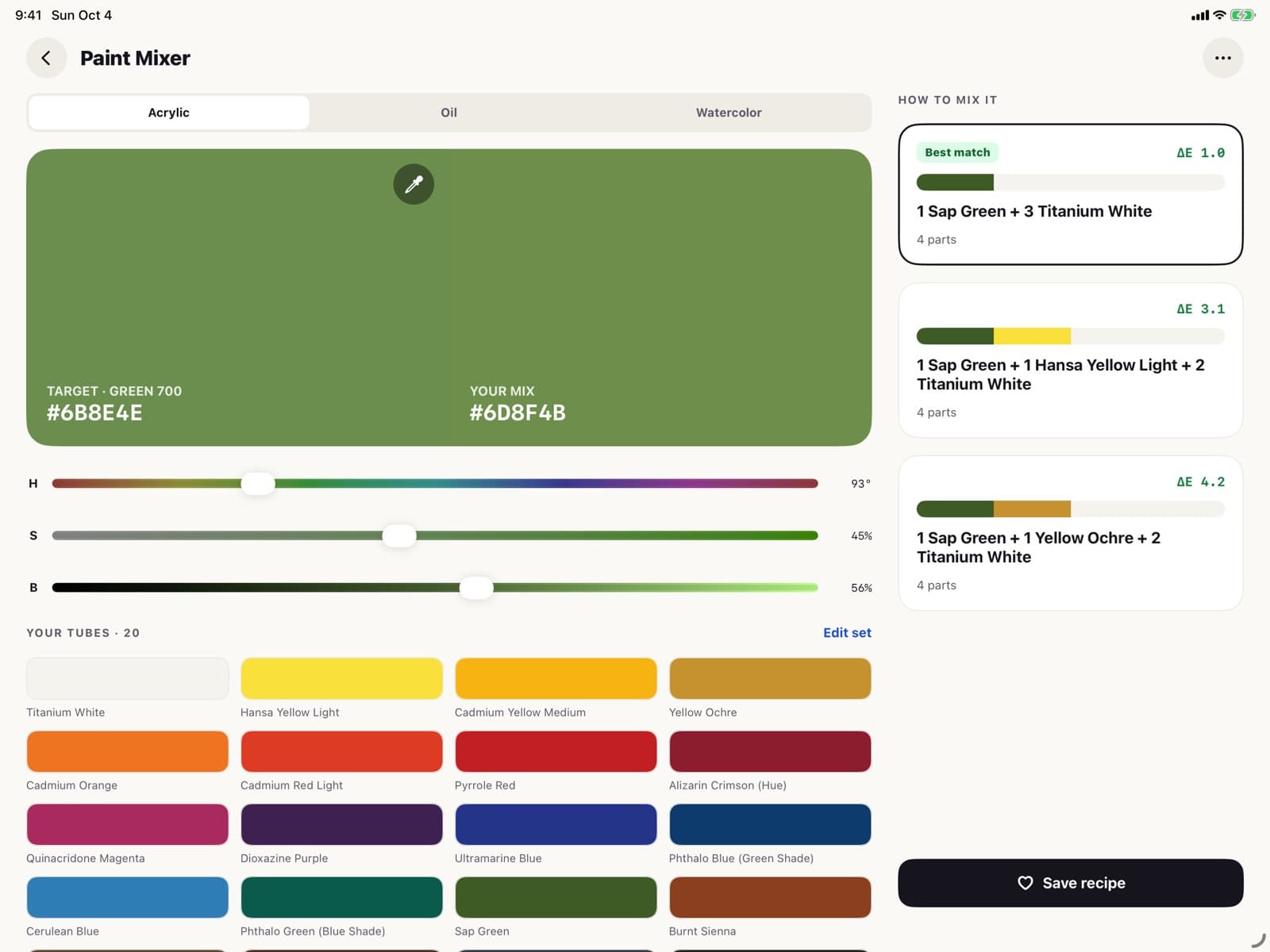
Paint Mixing Guide
Mix any color from your tubes
Choose a target color and get a mixing recipe for acrylic, oil or watercolor, made from the tubes in your set.
- Acrylic, oil and watercolor
- Recipes from your own tubes
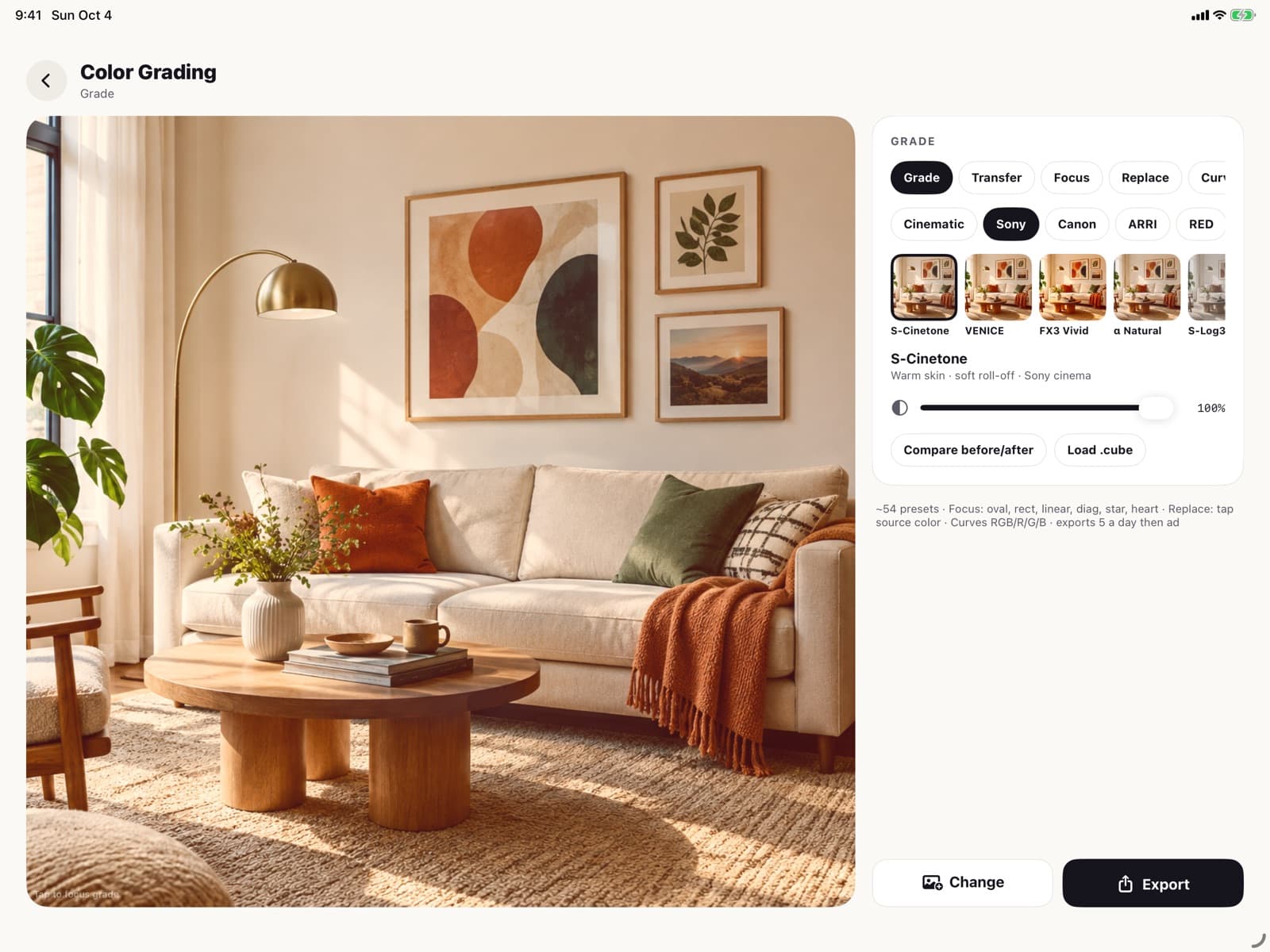
Color Grading
Cinematic color grading
Film-style presets and LUTs for your photos, with a before and after to compare.
- Film-style looks and LUTs
- Compare before and after
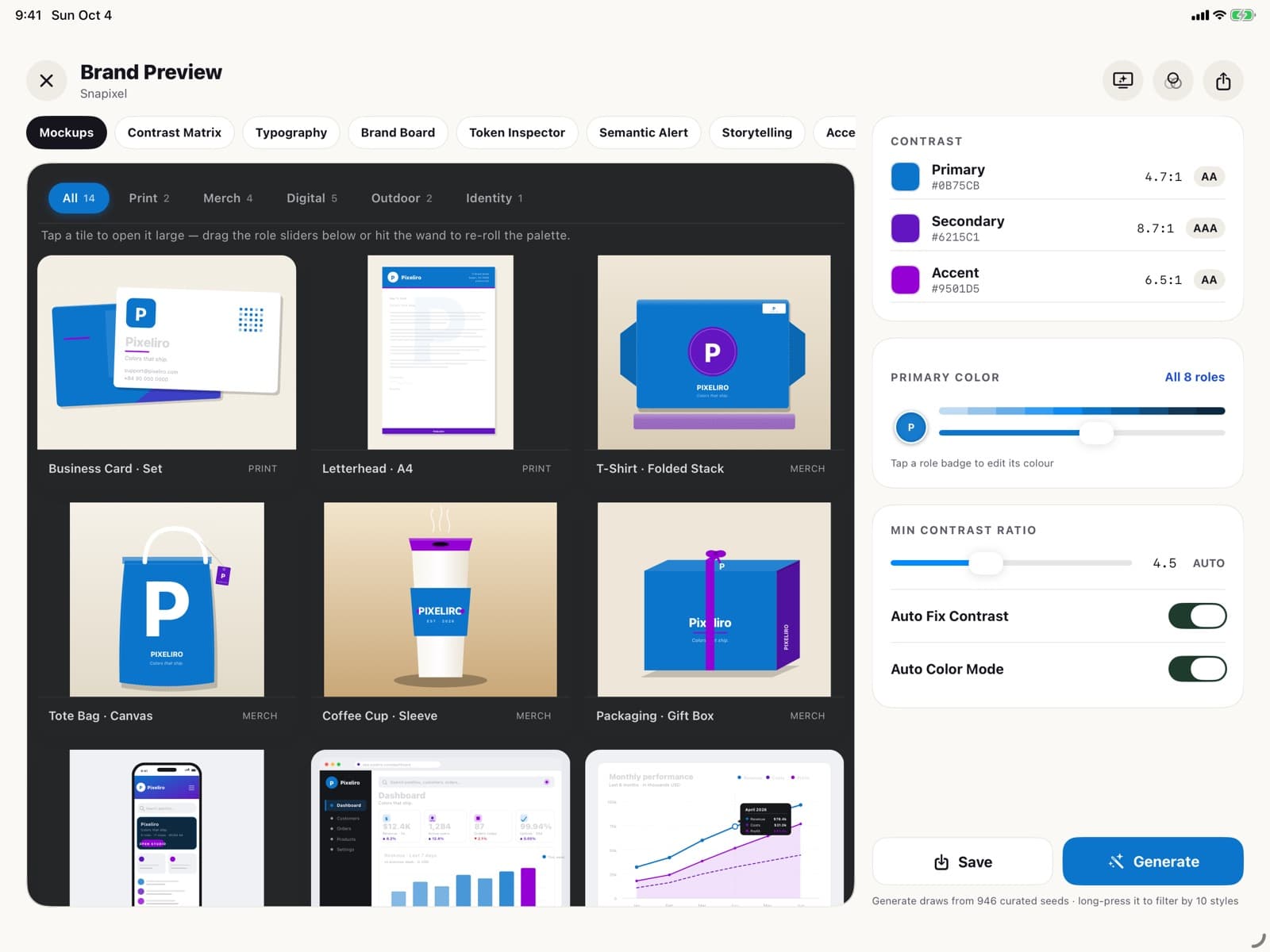
Brand Color
Turn colors into a brand
Describe a brand or a mood and get a complete palette, previewed on business cards, letterheads, packaging and app screens.
- Primary, secondary and accent colors
- Contrast checked against AA and AAA
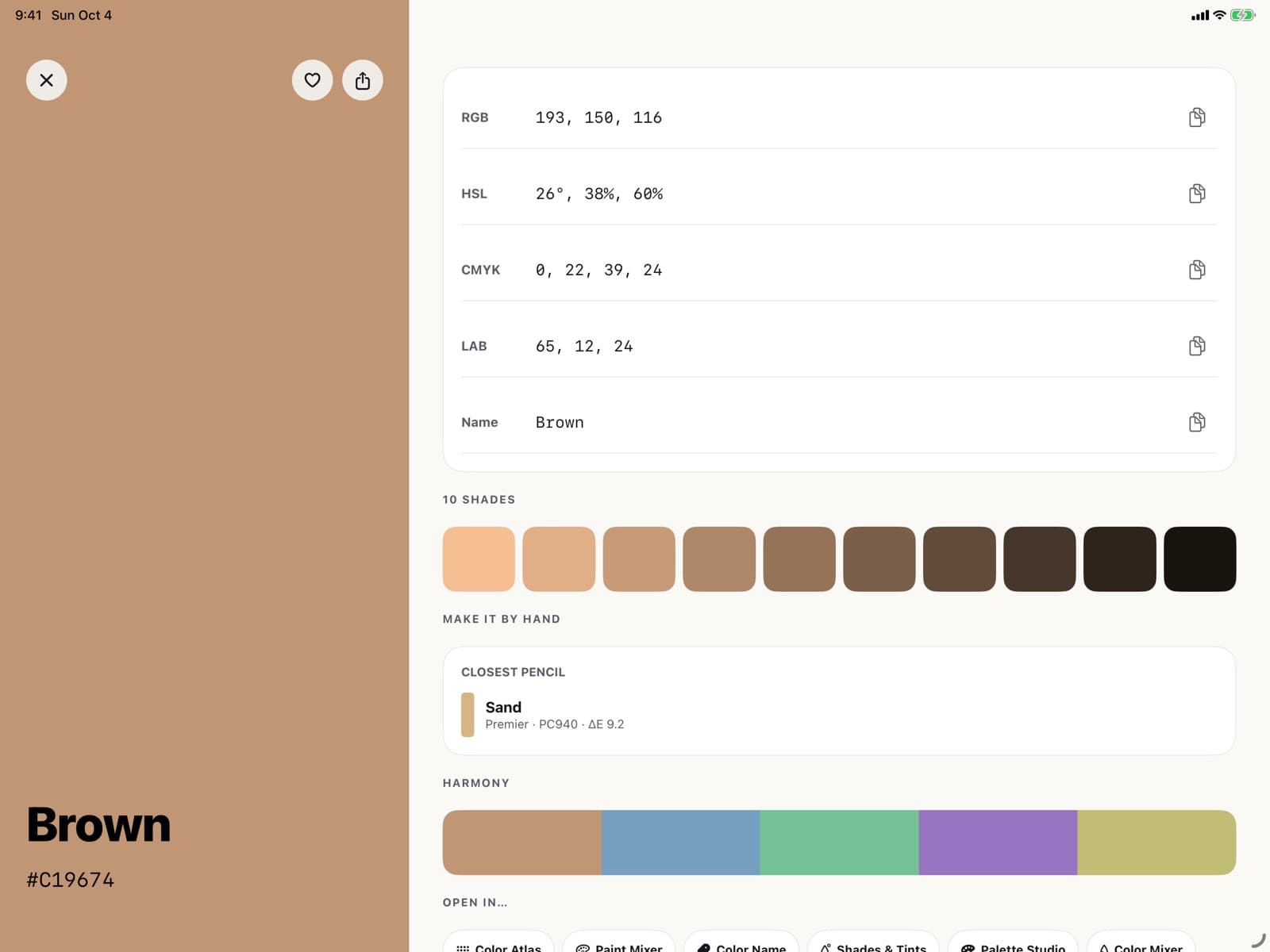
Color Hub
Every color code in one tap
One color in every format: HEX, RGB, HSL, HSB, CMYK, XYZ and CIE Lab, with its shades, harmonies and closest pencil.
- Copy any code with a tap
- Shades and related colors
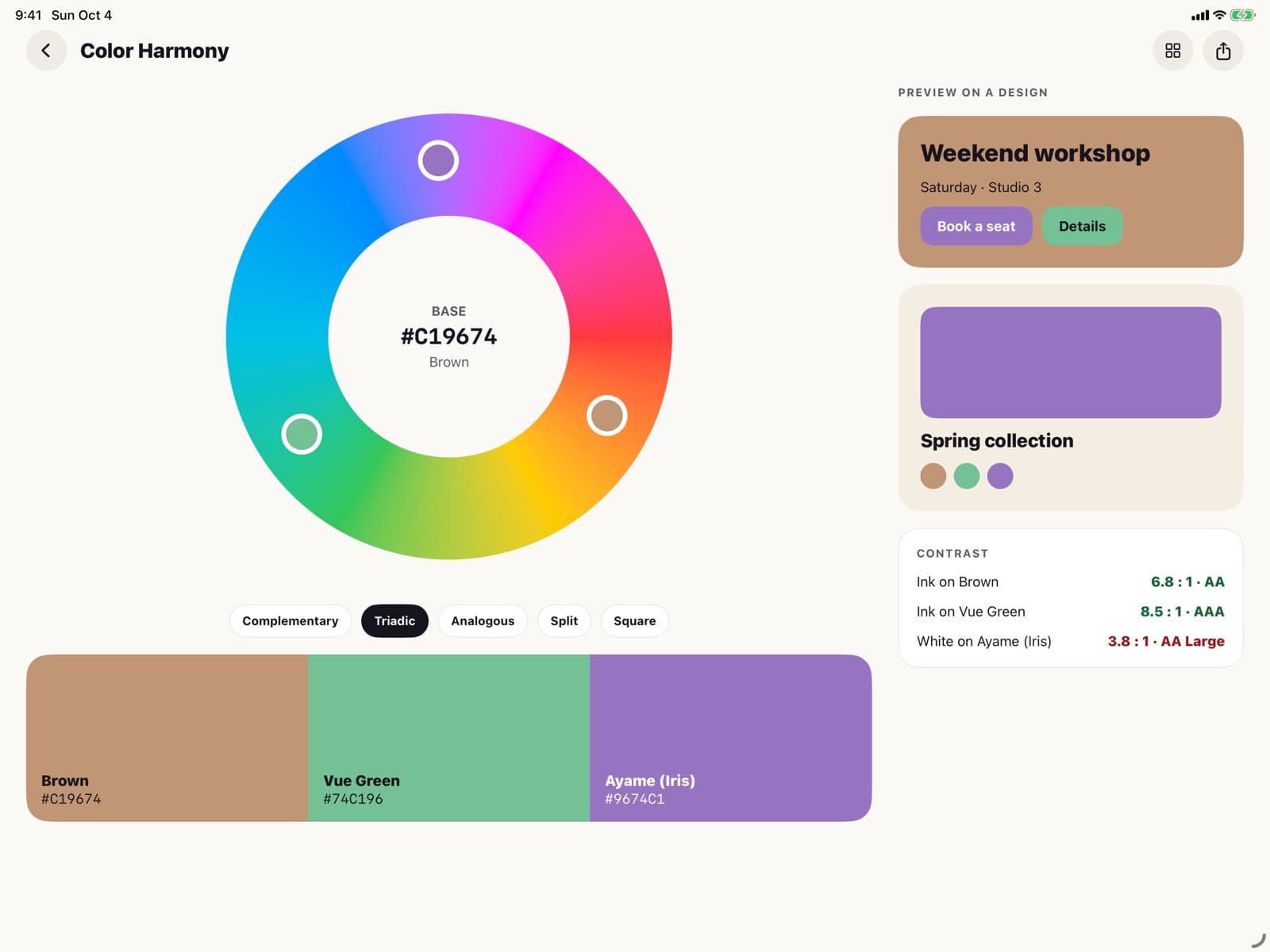
Color Harmony
Get harmonies that just work
Complementary, analogous, triadic, tetradic, split-complementary, square and monochromatic, on a color wheel with a design preview.
- Seven harmony rules
- See the scheme on a real layout
And more
More color tools
Palettes, pencils, accessibility checks and swatches from your own supplies.
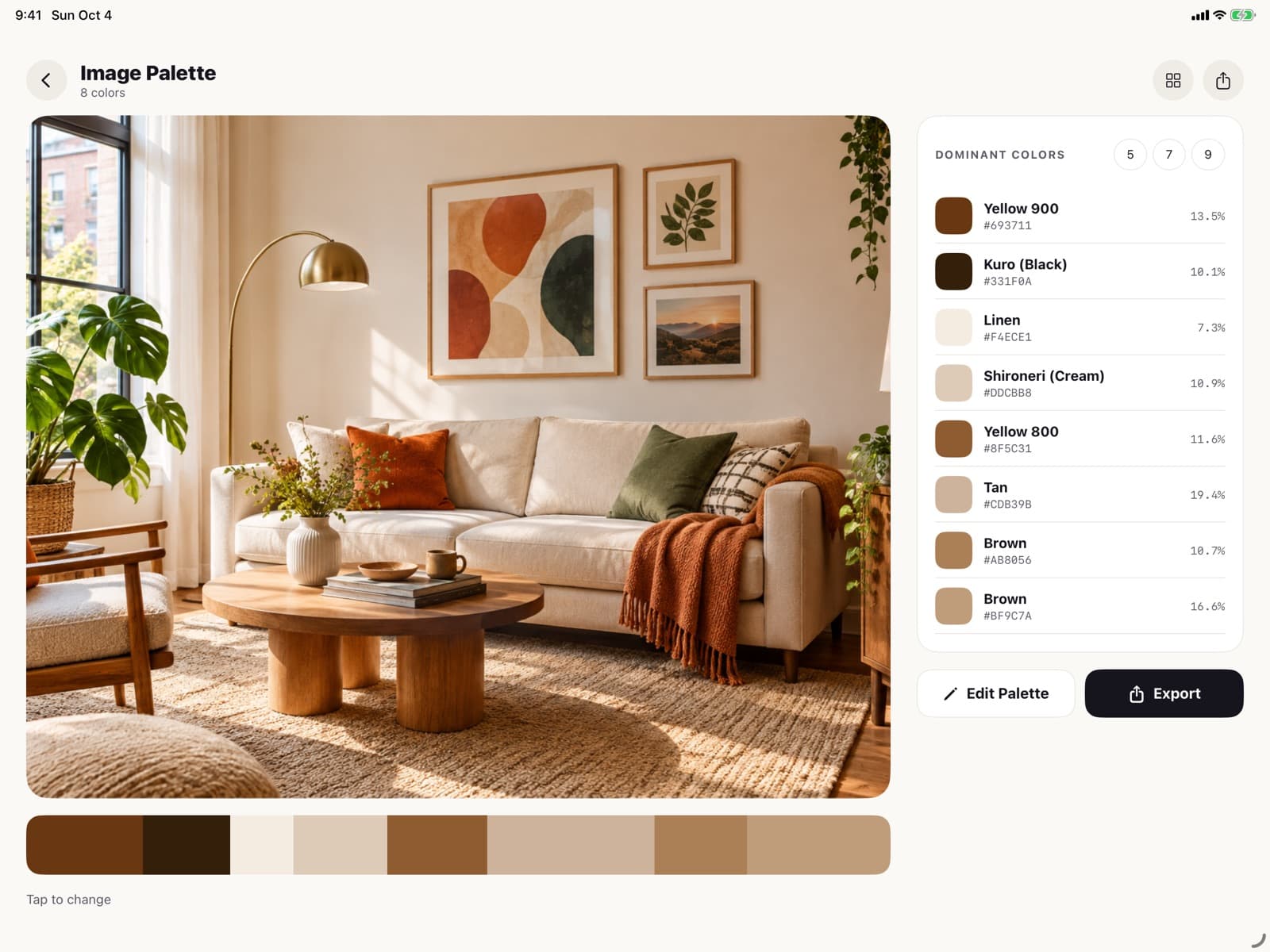
Photo Palette
Extract a clean palette from any image, with how much of the picture each color covers.
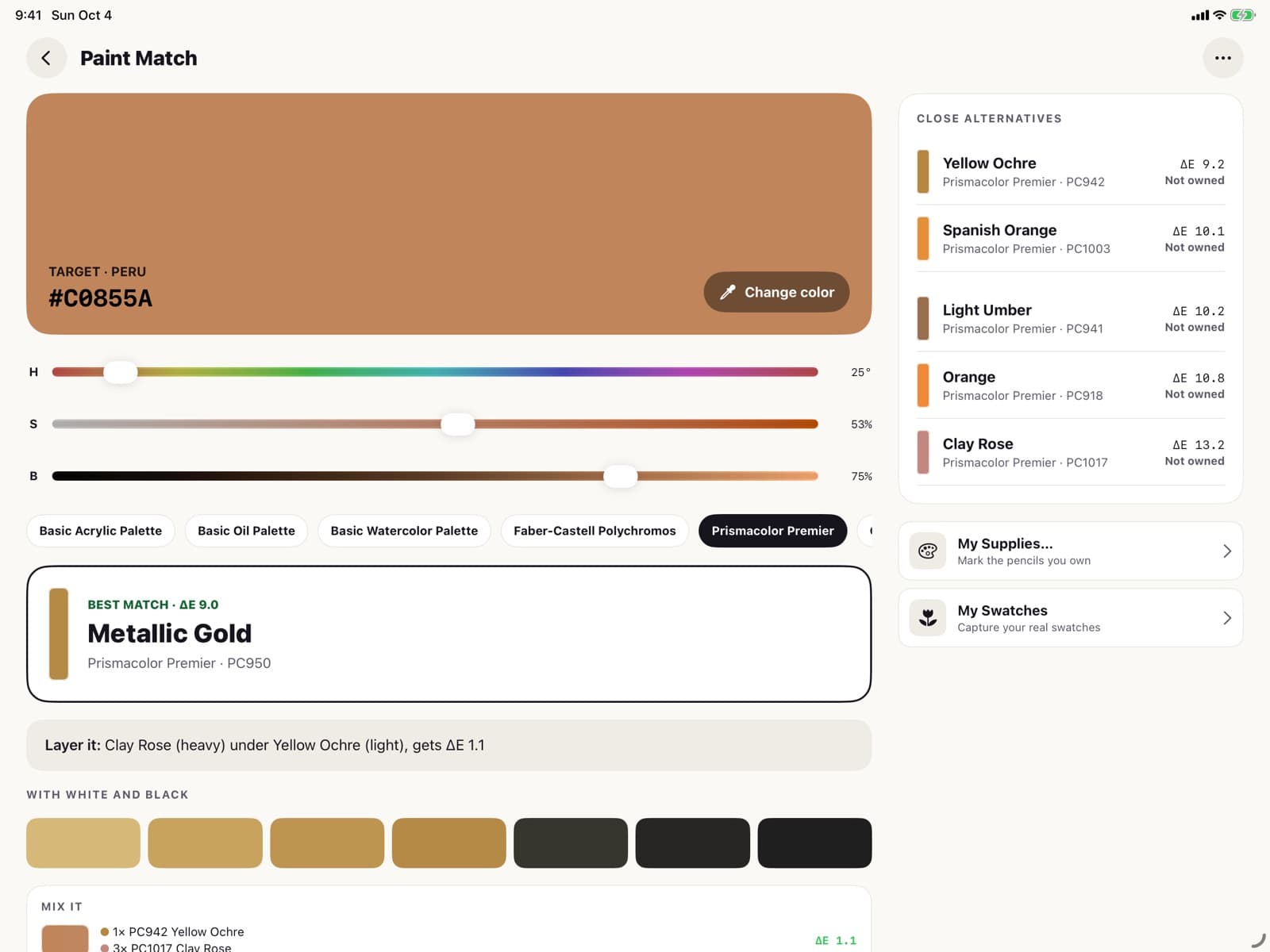
Paint Match
Find the closest colored pencils in Faber-Castell Polychromos and Prismacolor Premier.
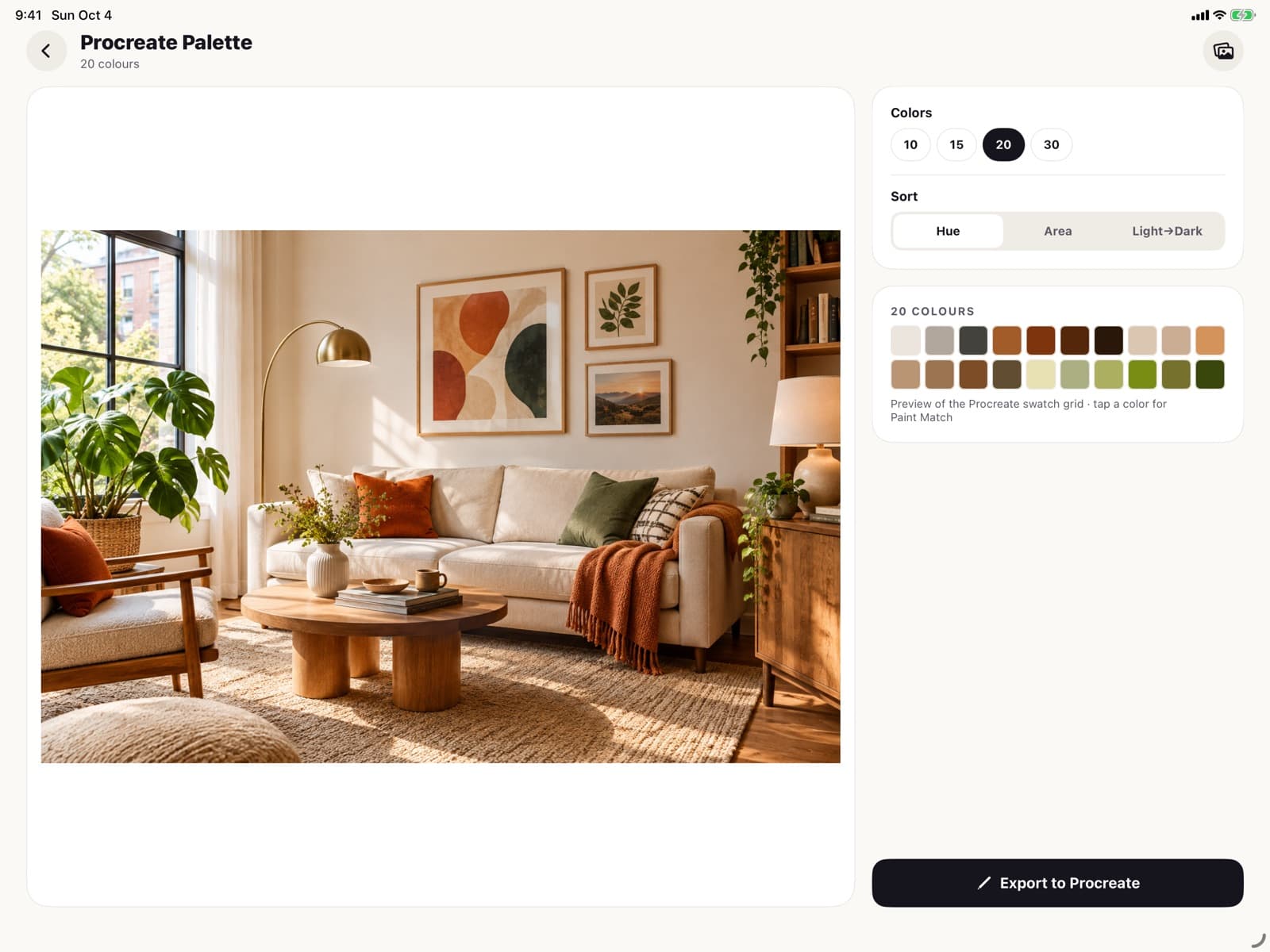
Procreate Palette
Turn a photo into a Procreate .swatches file, ready to import.
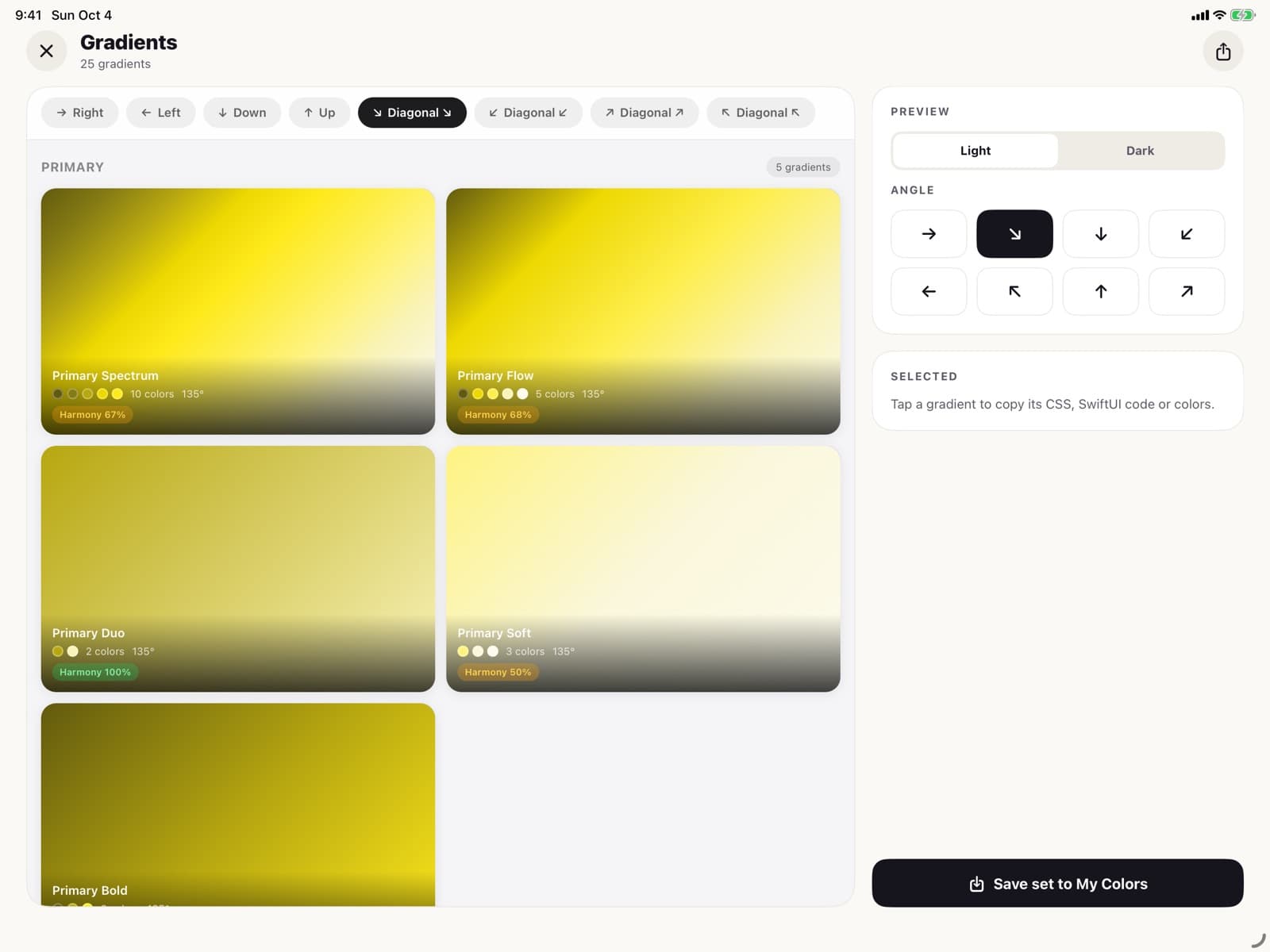
Gradient Generator
Gradients built from your colors, saved to My Colors.
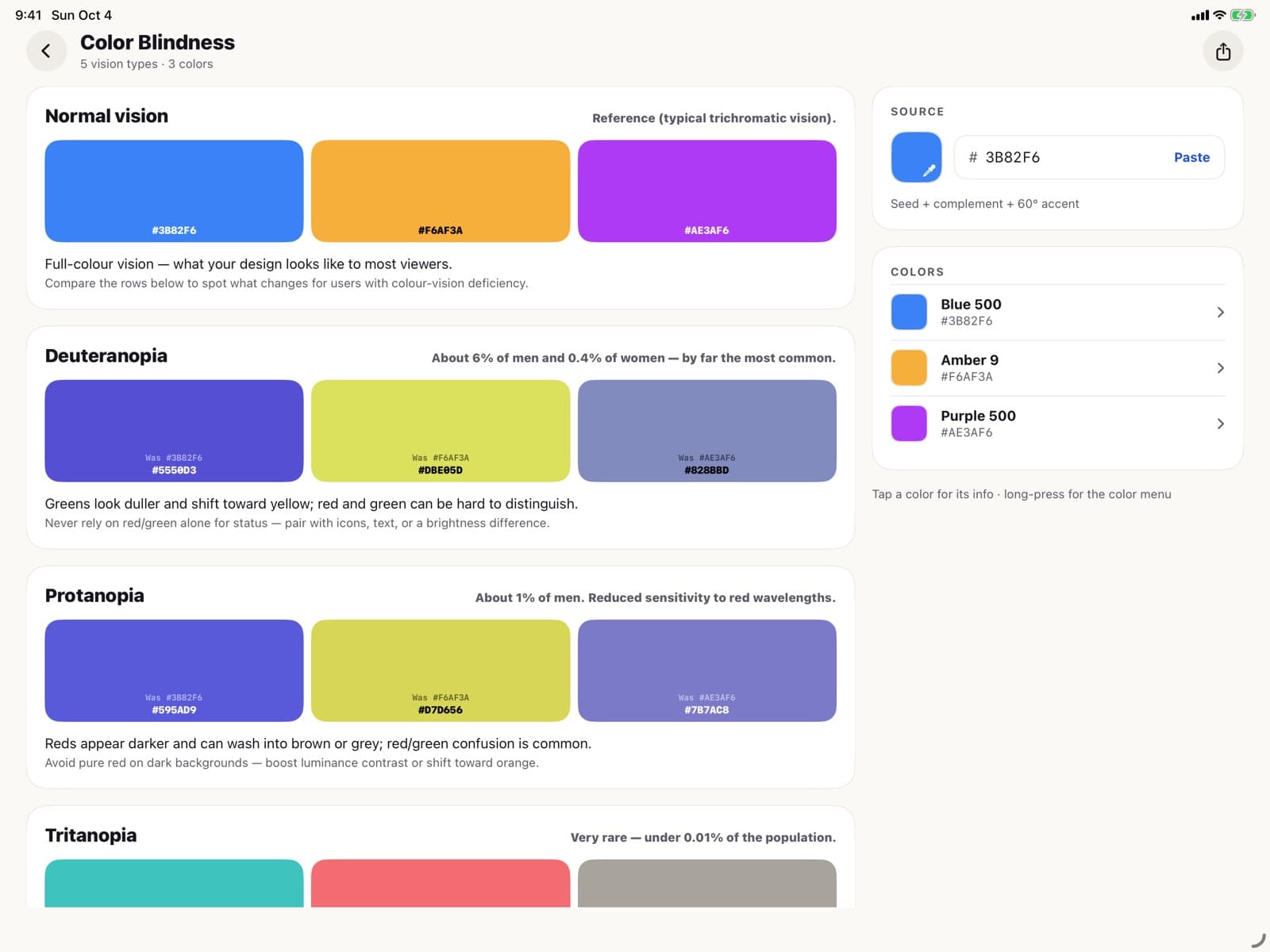
Color Blindness Simulator
See a palette as people with protanopia, deuteranopia, tritanopia or achromatopsia see it.
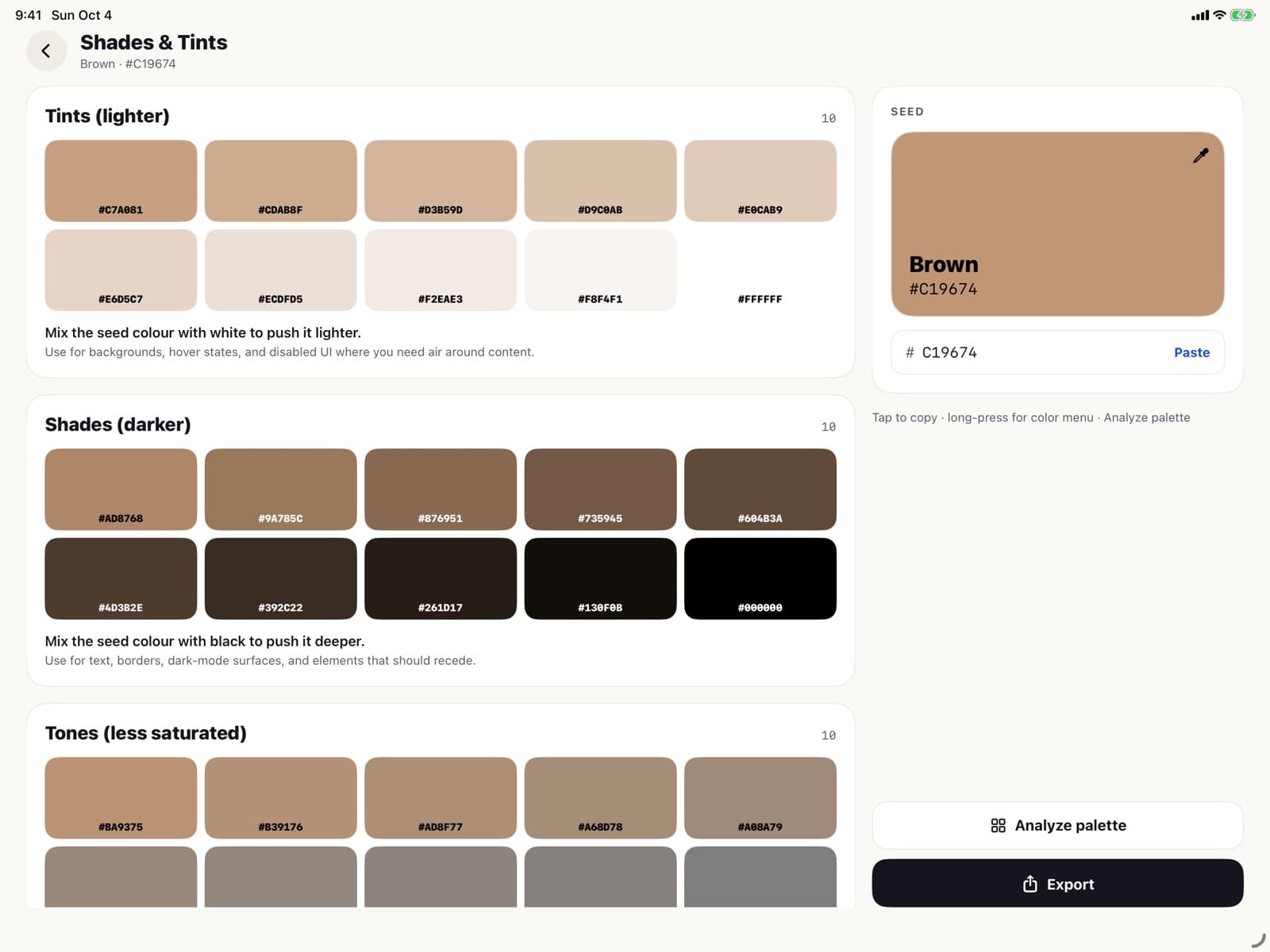
Shades and Tints
Lighter tints, darker shades and muted tones of any color, in even steps.
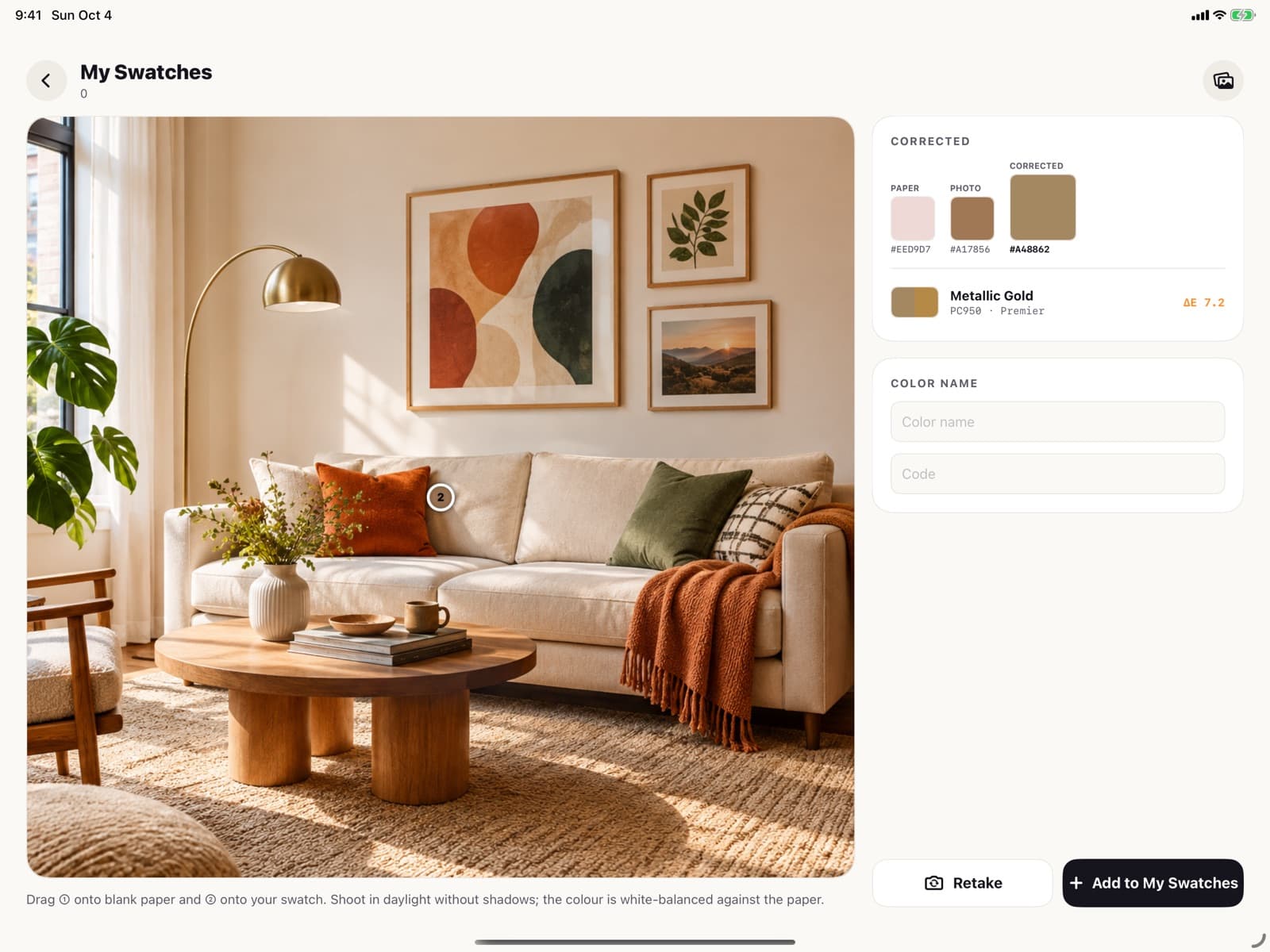
My Swatches
Capture your real paint and pencil swatches with the camera, corrected for the paper.
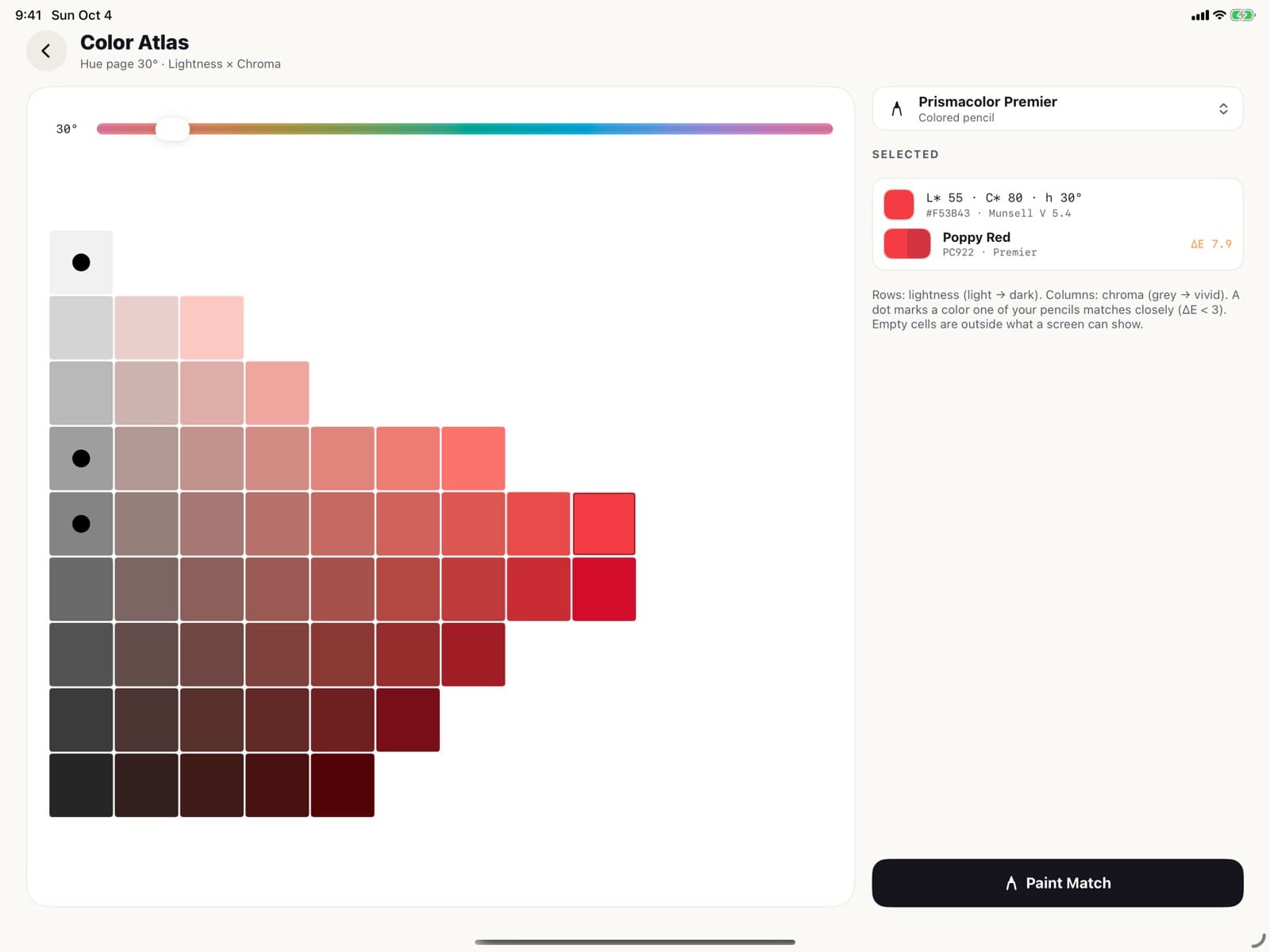
Color Atlas
Browse colors by hue, laid out by value and chroma.
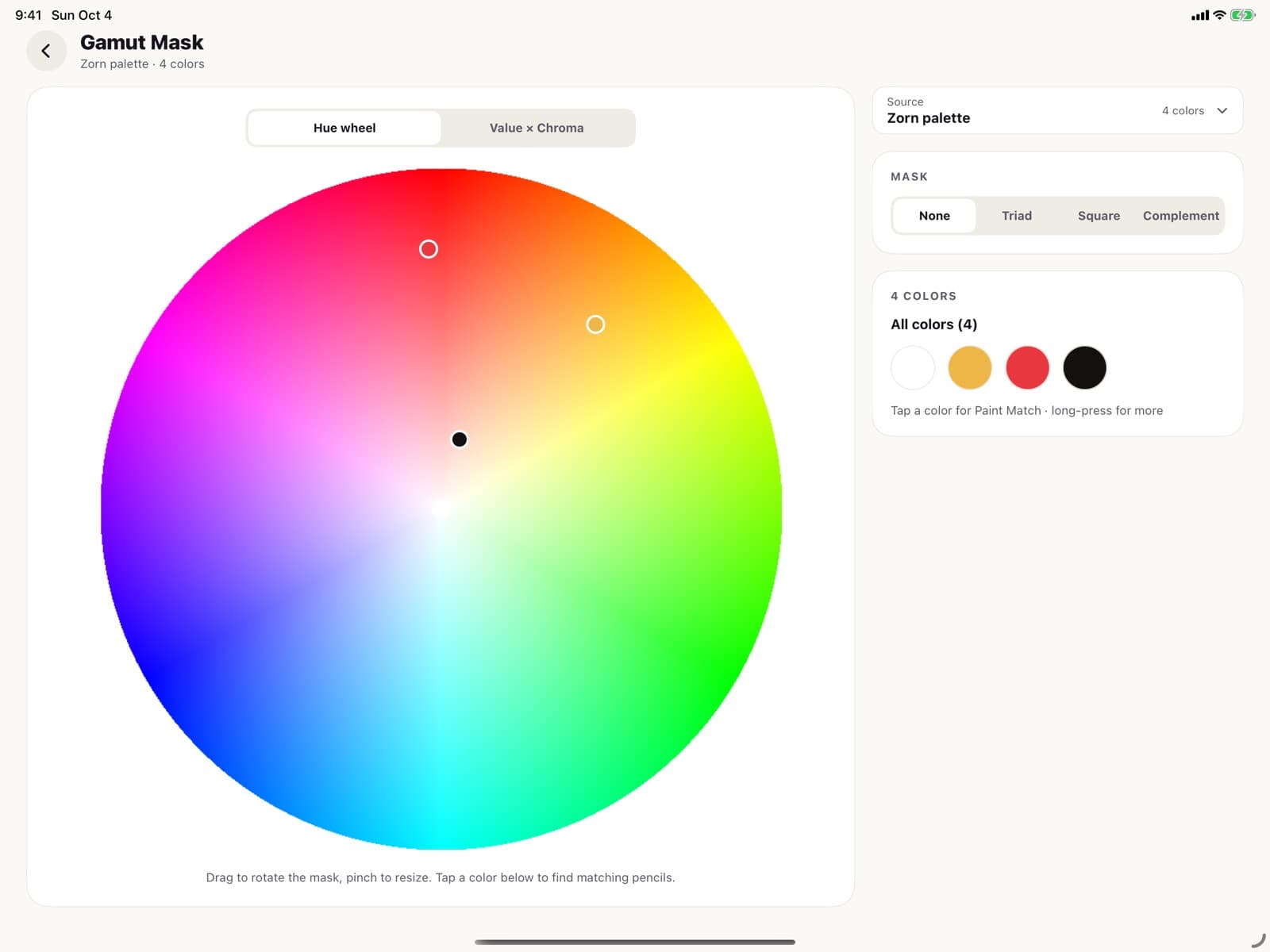
Gamut Mask
See a palette on the color wheel and limit it to a mask shape.
- Skin Tone PickerSample light, midtone and shadow from a portrait and get a mix for each.
- Color TransferMatch the colors of a photo to a reference photo.
- Background RemoverCut the subject out of a photo.
- Contrast CheckerCheck text and background colors against WCAG AA and AAA.
- Photo to PencilsSee which pencils a whole reference photo needs.
- My SuppliesMark the paint sets and pencils you own.
- Color MixerMix two colors and see the result.
- Color NameFind the closest named color for any code.
Take your colors anywhere
- CodeCSS, SCSS, Swift, Flutter, Kotlin, Android XML, Tailwind, MUI, JSON and HTML.
- FilesImage, Procreate .swatches, Adobe .ase, CSV, TXT and a print sheet.
- My ColorsSave and organize palettes, synced across iPhone and iPad.
- Made for iPadA sidebar, side panels and bigger canvases on iPad.
Free, and what Pro adds
Color Picker is free to download, and many of its tools are free to use. Color Picker Pro unlocks every Pro tool.
Pro is a monthly or yearly subscription that renews automatically. The price for your country is shown in the app before you buy. Payment is charged to your Apple Account; turn off renewal in your Apple Account settings at least 24 hours before the current period ends.
See the terms of use and the privacy policy.
Questions
Step-by-step help for every screen: read the Color Picker user manual.
Which devices does Color Picker run on?
iPhone and iPad. On iPad it has its own layout with a sidebar, side panels and bigger canvases.
Can it tell me how to mix a color in paint?
Yes. The Paint Mixing Guide takes a target color and gives a recipe for acrylic, oil or watercolor, using the tubes in your set.
Which colored pencils does it match?
Faber-Castell Polychromos and Prismacolor Premier. Paint Match finds the closest pencil for a color, and Photo to Pencils lists the pencils a whole photo needs.
Can I use the colors in Procreate or Adobe apps?
Yes. Export a palette as a Procreate .swatches file or an Adobe .ase file, or copy it as code for CSS, Swift, Flutter, Kotlin, Tailwind and more.
Is it free?
Color Picker is free to download and many tools are free. Color Picker Pro, a monthly or yearly subscription, unlocks every Pro tool. The price for your country is shown in the app before you buy.
How do I cancel Pro?
On the iPhone or iPad open Settings, tap your name, then Subscriptions, and choose Color Picker. Turn off auto-renew at least 24 hours before the current period ends.
Get Color Picker 5.1
Free to download on iPhone and iPad.