Picture Logic
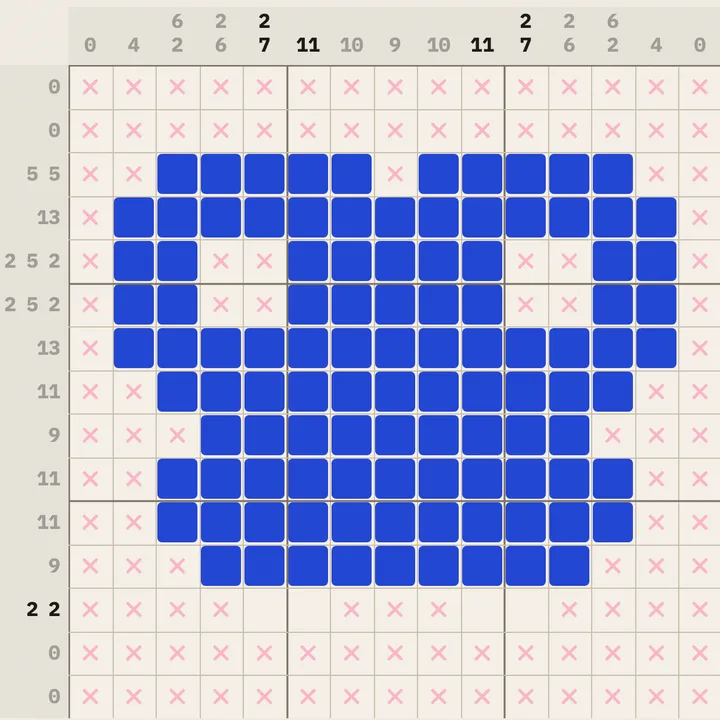
Nonogram logic puzzles: read the row and column numbers, fill the grid and watch a picture redraw itself in ink. 62 puzzles from 5x5 to 20x20, a Daily and a Pure mode.
How to play Picture Logic
- Every number is the length of one run of filled squares in its row or column. A clue of 3 1 means a run of three, at least one blank, then a single square.
- Fill the squares you are sure about and cross the ones you know are blank. Drag along a line to paint many squares in one stroke; the stroke keeps to the first direction you move.
- A finished line crosses its empty squares for you and its numbers fade. Use those crosses to solve the lines that cross it.
- Every puzzle has exactly one solution and never needs a guess. If you are stuck, look for the longest run: big numbers overlap themselves.
- Solve a grid to see the picture redraw in ink. Earn a star for solving, one for beating par and one for finishing clean; stars open the next pack.
Controls
| Keyboard and mouse | Touch |
|---|---|
| ClickZSpace Fill a square (drag to fill a line) | Fill tool, then tap or drag |
| Right-clickX Cross a square as blank (drag to cross a line) | Cross tool, then tap or drag |
| ←↑→↓WASD Move the cursor (hold Z or X to paint as you move) | Tap or drag on the grid |
| Backspace Clear the square under the cursor | Tap a filled square with the Fill tool, or Undo |
| Ctrl+ZCtrl+Shift+Z Undo and redo | Undo and Redo buttons, or a two-finger tap to undo |
| VWheelCtrl+Wheel Zoom to fit, zoom in, scroll and zoom a big grid | Zoom button, pinch, and Move tool or two-finger drag |
| 123 Choose Fill, Cross or Move | Fill, Cross and Move buttons under the grid |
| PEsc Pause and resume | Pause button at the top |
| Enter Next puzzle on the result card | Next button |
| M Sound on or off | Sound in the pause menu |
On a phone or tablet: Pick Fill or Cross under the grid, then tap a square or drag along a line to paint it. Move pans a big grid and Zoom switches between fit and close-up; you can also pinch and drag with two fingers, and a quick two-finger tap undoes. Undo, Redo and Pause have their own buttons. On a wide screen the buttons stand in two columns beside the grid; Left-handed in the pause menu moves them to the other side, and the same menu sets the controls to Auto, Always or Off.
About this game
Picture Logic is a nonogram: a grid with numbers along its rows and columns, and a hidden picture that only logic can bring out. Each number is the length of one run of filled squares in that line, in order, with at least one blank between runs. A row marked 3 1 holds a run of three, a gap, then a single filled square somewhere. Read the clue for a row and the clues for the columns that cross it, and every square gets squeezed until only one answer fits. Nothing here needs a guess. Every one of the 62 puzzles was checked at build time by a line solver, so each has exactly one solution and can be solved by pure deduction. You start on a 5x5 grid and are playing within seconds. The six packs climb from Warm-up (5x5) through Street and Wild (10x10) and City and Deep (15x15) to Poster (20x20), and inside each pack the puzzles are ordered by how many passes the solver needs, so the next one is always a little harder than the last. Each solved puzzle earns one to three stars: one for solving, one for beating the par time, one for finishing clean. Stars open the next pack, so you can skip a grid you dislike and still move on. Drag along a row or column to fill a whole line in one stroke. The stroke locks to the first direction you move, so a slightly crooked finger does not paint the wrong line. Mark blanks with crosses, and when a line is complete its remaining squares are crossed for you and its numbers fade. Undo and redo keep your last 100 strokes. On a big grid, pinch to zoom, drag with two fingers or the Move tool to pan, and tap Fit to see everything at once. Assist mode, the default, flags a wrong move in red and adds 30 seconds to your clock, so mistakes cost time but never end a puzzle. Pure mode checks nothing, scores 1.5 times as much and earns a Pure stamp: a puzzle with three stars in Pure turns its tile gold. When the last square falls, the grid fades and the picture is redrawn as an ink line drawing with its title. Every day there is a new Daily in 10x10 and 15x15 that is the same for every player, with a day streak to keep alive. Your best times, stars and up to ten unfinished grids stay in this browser, and a reload brings your puzzle back paused.
Questions
Is Picture Logic free?
Yes. It is free to play in your browser on a phone, tablet or computer, with no download and no sign-up.
What is a nonogram?
A logic puzzle on a grid. The numbers beside each row and column give the lengths of the runs of filled squares in that line. Filling the right squares reveals a hidden picture. Other names are griddlers and paint by numbers logic puzzles.
Do I ever have to guess?
No. Every puzzle has exactly one solution, and each was checked by a line solver at build time to be solvable by deduction alone, one row or column at a time.
What is the difference between Assist and Pure?
In Assist a wrong square is shown in red, is not kept, and adds 30 seconds to your time. In Pure nothing is checked, your score counts 1.5 times and you earn a Pure stamp. Three stars in Pure make the tile gold.
How do stars and packs work?
A puzzle gives one star for solving it, one for finishing under its par time and one for finishing with no mistakes (always the case in Pure). Street opens at 15 stars, Wild at 40, City at 70, Deep at 100 and Poster at 135.
What is the Daily?
Each day brings a new 10x10 and a new 15x15 that are the same for every player, with a day streak for solving at least one. The day changes at midnight UTC.
What happens if I reload or leave a puzzle?
Reloading the page brings your grid back paused, with the clock where you left it. Leaving a puzzle keeps its grid for later, for up to ten unfinished puzzles. Times, stars and settings are saved in this browser.