Shape Builder
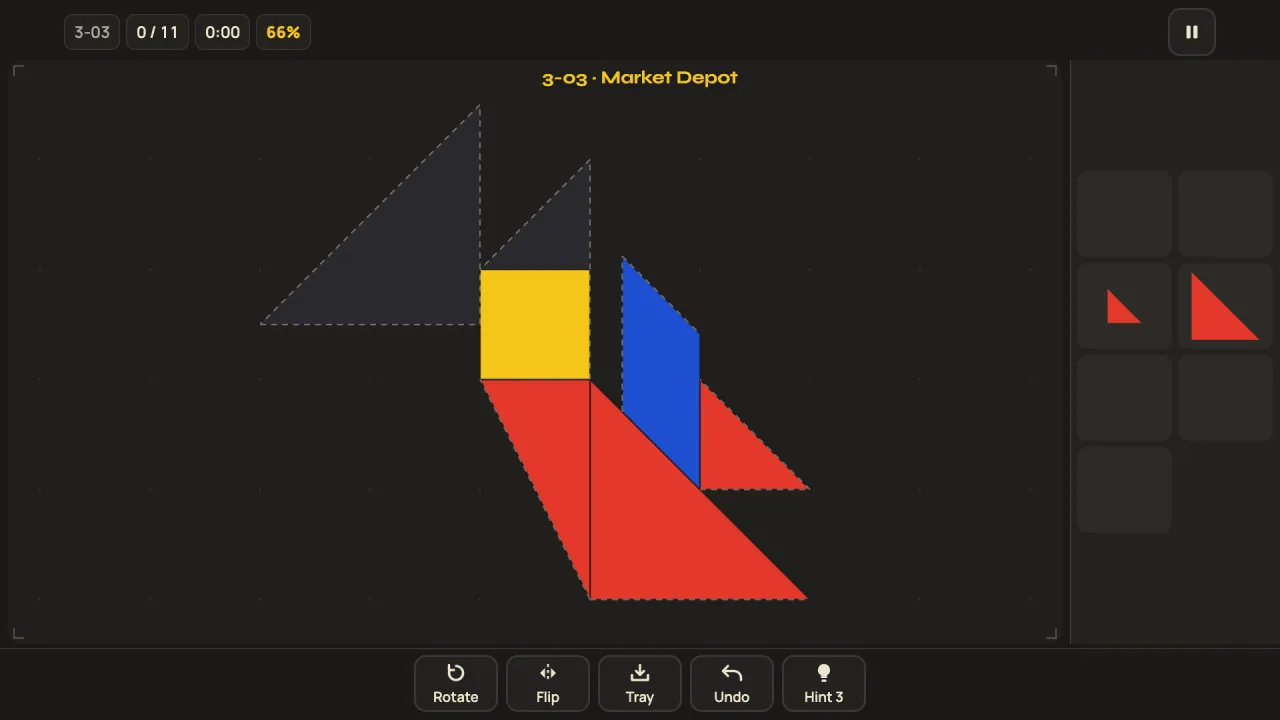
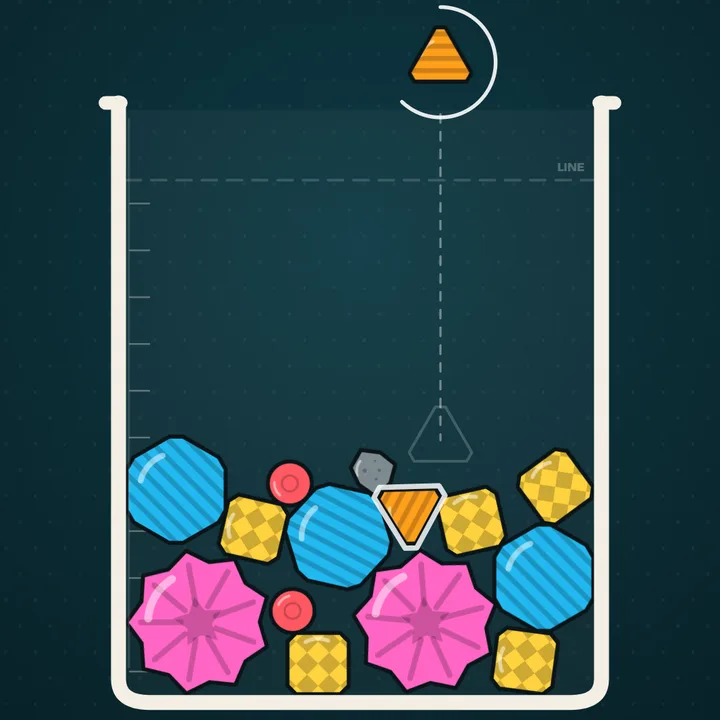
A Bauhaus tangram: fill each silhouette exactly with triangles, squares, a parallelogram and arcs. 60 puzzles in 5 districts, every solved one becomes a building in Shape Town, with a seeded Daily build, locked no-rotate puzzles and a Studio that shares your own silhouette as a code.
How to play Shape Builder
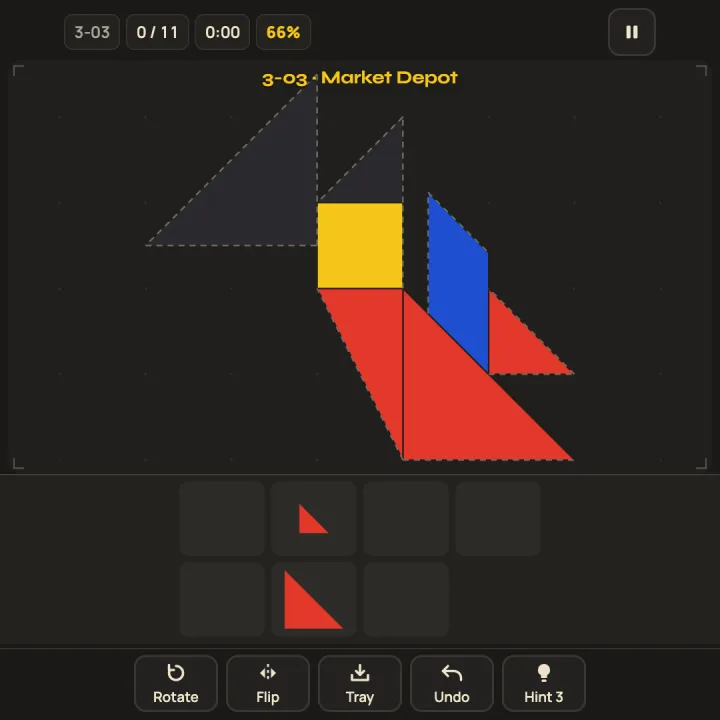
- Pick a puzzle in the city, or press Play. The dark silhouette is the target; your shapes wait in the tray.
- Drag a shape onto the silhouette. Near its spot it snaps in with a click; it turns to its own colour, so triangles are red, squares yellow, parallelograms blue and arcs cream.
- Tap a shape, then Rotate (45 degrees a tap) or Flip (parallelograms and long triangles only) to turn it. Tap Tray to send it back, Undo to step back 30 moves.
- Fill the silhouette with no gap and no overlap. The meter shows how much is covered; a near miss flashes the gap.
- Stars: 1 for any solve, 2 within par moves (pieces x 1.5), 3 within par moves and par time. Locked puzzles forbid rotating and give a bonus star.
- Hints place one shape correctly: 3 per district, and a hinted solve earns 2 stars at most.
- 24 stars in a district open the next one; District 2 also opens the Studio. Finish a district for a new poster colourway.
- Daily is one seeded silhouette of the classic 7-piece set, the same for everyone, time is the score. Studio lets you build a silhouette, checks it can be solved and gives a code to share.
Controls
| Keyboard and mouse | Touch |
|---|---|
| Drag Move a shape from the tray or the board | Drag with a finger; the shape rides 44 px above it so you can see it |
| QEWheel Rotate the selected shape | Rotate button |
| F Flip the selected shape | Flip button |
| T Send the shape back to the tray | Tray button |
| Z Undo | Undo button |
| H Hint: place one shape | Hint button |
| TabArrows Select the next shape; nudge by 1/8 unit | Tap a shape to select it; drag to move |
| PEsc Pause and resume | Pause button at the top right |
| Enter Play, Next, Resume | The big yellow button |
| M Sound on or off | Sound button in the city and the pause menu |
On a phone or tablet: Everything works by finger: drag a shape (it rides 44 px above your finger), tap it to select, then use the Rotate, Flip, Tray, Undo and Hint buttons along the bottom — all at least 56 px. The tray cells are 48 px or more. The top corners stay free for the site's Back button. Works upright (tray under the board) and sideways (tray on the right).
About this game
Shape Builder is a tangram for people who like their puzzles sharp: each level is a dark silhouette and a tray of flat Bauhaus shapes, and the job is to fill it exactly. The set is fixed so you learn it - red triangles, yellow squares, blue parallelograms, cream arcs - while the silhouettes get less friendly district by district. District 1 is blocky four- and five-piece builds, District 2 adds notches, District 3 is the classic seven-piece tangram set with Locked puzzles where rotating is forbidden, District 4 brings quarter and half arcs, and District 5 gives two silhouettes that share one tray of ten to twelve shapes. A shape magnets into a free slot when it lands close, the reach tightening from 0.30 to 0.18 of a unit; turning is 45 degrees a tap, and a move is one placement or one burst of turning. Par moves are the pieces times one and a half and par time grows 15 seconds a district, which is what separates two stars from three. Hints place one shape correctly, three per district, and cap that puzzle at two stars. Every solve adds its building to Shape Town, a skyline that drifts from dusk to night as the city fills and can be exported as a poster in six colourways; the Daily gives everyone the same classic-set silhouette to race against the clock, and the Studio lets you draw your own on a grid, verifies it can be solved and hands you a short code. Progress, bests and your Studio builds stay in this browser, and a reload brings the puzzle back paused exactly as you left it.
Questions
Is Shape Builder free?
Yes. It plays free in your browser on a computer, tablet or phone, with nothing to download and no sign-up. Stars, bests and Studio builds stay in this browser.
Is this a real tangram?
Yes. Every silhouette is built from a fixed set of flat pieces and you must cover it with no gap and no overlap, turning and flipping the pieces as needed. District 3 uses the classic seven-piece set.
Can I play it on my phone?
Yes. Drag with a finger, tap a shape and use the Rotate, Flip, Tray, Undo and Hint buttons. It works upright and sideways, and a reload resumes your puzzle paused.
How do stars work?
One star for solving, two within par moves, three within par moves and par time. A hint caps the puzzle at two stars; Locked puzzles, where rotating is forbidden, add a bonus star.
How do I open more districts?
Earn 24 stars in the district before. Finishing all 12 puzzles of a district also unlocks a poster colourway, and District 2's 24 stars open the Studio.
What is the Daily?
One silhouette from the classic seven-piece set, generated from the date so everyone gets the same one. Your best time for the day is kept.
How do I share my own silhouette?
Open the Studio, add and arrange shapes so they touch, and press Share. The game checks the build can be solved and gives a short code; anyone can paste it under Load a code to play it.
Why does my shape not snap?
It must be the right shape, turned the right way, and land within a fraction of a unit of its spot. Rotate it with the button first; the spot lights up faintly while you drag when it will snap.